If your air purifier's air quality sensor is always red or seems inaccurate, the fix is usually simpler than a broken machine: the sensor lens is dusty. These optical sensors have a tiny lens that clogs with dust over months and starts reading its own grime as constant pollution — so the light sits red even in clean air. Cleaning the lens resolves most cases. If that doesn't do it, the next suspects are humidity fooling the sensor, bad placement near a kitchen or doorway, or a genuine calibration drift. Here's how to work through it and tell a dirty sensor from a faulty one.
Key takeaways
- A dusty sensor lens is the number-one cause — gently clean it and the reading usually recovers.
- Humidity and placement fool optical sensors — steam and doorways make them read falsely high.
- Built-in sensors are indicators, not lab instruments — if it still reads red in clean air after cleaning, the sensor may be faulty.
Is the sensor lens dusty or blocked?
Start here, because it's the answer most of the time. Air purifiers typically use an optical particle sensor: a small LED shines a beam across a tiny chamber, and the sensor measures how much light the passing particles scatter. It's a clever, cheap way to gauge air quality — but the lens sits right in the path of the very dust you're trying to clean. Over months it accumulates a film, and the sensor reads that film as a room full of particles. The result is a light stuck on red.
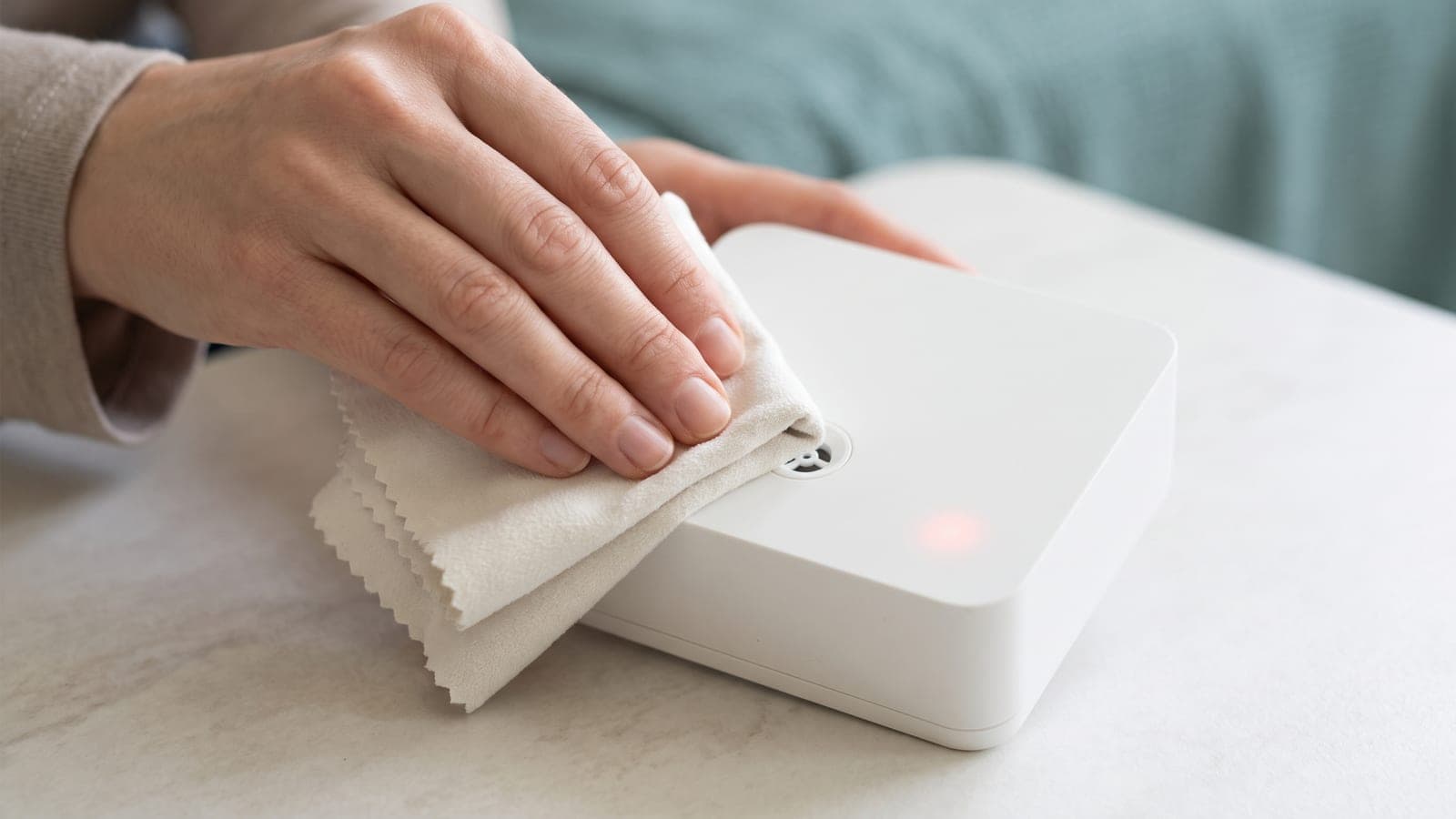
The fix is a gentle clean. Unplug the unit and find the sensor — usually a small vented port on the side of the housing, sometimes behind a little door or slide cover. Clean the lens carefully with a dry cotton swab, a soft brush, or a light puff of compressed air, following your manual. Don't use water, alcohol, or solvents on the lens, and don't jab at it. Also check that the sensor's air inlet and outlet slots aren't caked with dust or blocked. Our how to clean an air purifier guide covers the whole routine. This alone rescues the majority of "always red" sensors.
Is it actually detecting real poor air?
Before assuming the sensor is broken, make sure it isn't right. A sensor that goes red and recovers is doing its job. Test it: cook something, spray an aerosol nearby, or light a candle, and watch the reading jump to red — then, over the next several minutes to an hour, ease back to green as the purifier clears the air. That response-and-recovery is a healthy sensor.
Everyday life produces more triggers than people expect — frying food, deodorant and hairspray, cleaning sprays, dust from making the bed, pets, incense, and smoke drifting in from outdoors. If the red spikes line up with these events and fade afterward, there's nothing to fix. Our guide on how to tell if your air purifier is working has more ways to sanity-check what the sensor is reporting.
Could humidity be fooling the sensor?
This one surprises people. Optical sensors detect particles by light scatter — and fine water droplets scatter light just like dust does. So in humid air, steam, or fog, the sensor can read moisture as pollution and go red when the air is otherwise clean. A purifier parked near a bathroom that spikes during showers, or one that reads high on muggy nights, is often reacting to humidity rather than particles.
You can confirm it by watching whether the red tracks with steamy or damp conditions and clears as the air dries. The fix is placement and humidity control: move the unit away from bathrooms and other moisture sources, improve ventilation, or run a dehumidifier in a chronically damp room. The sensor isn't broken — it's just being handed water it can't tell apart from dust.
Is it a placement problem?
Where the purifier sits decides what the sensor breathes. Put it next to the stove, beside a doorway to a dusty hallway, in a busy walkway, or right by a window, and the sensor gets a nonstop feed of triggers that keep it red far more than the room as a whole deserves. It's accurately reporting its little corner — that corner just isn't representative.
Move the unit to a more central, open location, away from cooking, doorways, heavy foot traffic, and moisture. If the reading settles into normal behavior there, placement was the culprit, not the sensor. This is also better for cleaning the room overall, so it's worth getting right regardless.
Does it need recalibrating — or is it genuinely faulty?
If you've cleaned the lens, ruled out humidity, and fixed placement and the sensor still misbehaves, a couple of options remain. Some models support a recalibration or reset — often done in the app or by a button sequence in the manual — which re-establishes the sensor's clean-air baseline. In fresh air (open a window for a bit first), running that routine can correct a sensor that has drifted. Note this is different from resetting a filter-change light; if it's actually a red indicator light rather than the air quality reading, our guide on an air purifier red light that won't turn off covers that case.
If cleaning, relocation, humidity control, and recalibration all fail — and the sensor reads red in air you're confident is clean, or gives wild, jumpy numbers with no cause — the sensor itself is likely faulty. That's a hardware issue, not something you can repair at home.
Quick troubleshooting table
| Symptom | Likely cause | Fix |
|---|---|---|
| Stuck red in clean air | Dusty sensor lens | Unplug; gently clean the lens and port |
| Red spikes during cooking/spray, then clears | Detecting real particles | Normal — it's working |
| Red during showers or muggy nights | Humidity read as particles | Move from moisture; dehumidify |
| Red only near kitchen/doorway | Unrepresentative placement | Relocate to open, central spot |
| Red persists after cleaning | Calibration drift | Recalibrate/reset in clean air per manual |
| Red or erratic after all fixes | Faulty sensor | Contact the manufacturer |
When to contact the manufacturer
Get in touch with the manufacturer once you've done the full sweep — cleaned the sensor lens and port, ruled out humidity, corrected placement, and run any recalibration your model supports — and the sensor still reads red in air you're confident is clean, or throws erratic, meaningless numbers. At that point it's a faulty sensor, which is an internal fault you can't fix yourself. Have your model number, serial number, and purchase date ready; a bad sensor on a unit still under warranty should be repaired or replaced. Just remember that a built-in sensor is an indicator, not a laboratory monitor, so some drift and the occasional humidity-driven red are normal and don't warrant a call.
Frequently asked questions
Why is my air purifier's air quality sensor always red?
The most common cause by far is a dusty sensor. Optical air quality sensors have a small lens that clogs with dust over months and starts reading its own grime as constant pollution. Gently cleaning the lens fixes most cases of a sensor stuck on red.
How do I clean the air quality sensor?
Unplug the unit, locate the small sensor port (usually a vented opening on the side), and gently clean the lens with a dry cotton swab, soft brush, or a light puff of compressed air, following your manual. Don't use water or solvents on the lens, and make sure the port isn't blocked by dust.
Can humidity make the air quality sensor read high?
Yes. Optical sensors detect particles by how they scatter light, and fine water droplets in humid or steamy air can scatter light the same way — so the sensor reads moisture as pollution. A sensor that goes red in a bathroom or on muggy nights is often reacting to humidity, not dirty air.
Why is my sensor red but the air seems fine?
Either the sensor is dusty and reading falsely high, humidity is fooling it, or it's placed somewhere that gets constant triggers like a kitchen or doorway. Clean the lens first, then check placement and humidity. If it still reads red in clean air after all that, the sensor may be faulty.
How accurate are built-in air purifier sensors?
They're useful indicators, not lab instruments. Built-in optical sensors give a good relative sense of whether the air is getting better or worse, but they can drift, get fooled by humidity, and clog with dust. Treat the readout as a helpful signal rather than a precise measurement.